

An agent audit log is more than a transcript. A useful record lets someone answer four questions after the fact: what did the agent propose, what did the person approve, what actually ran, and what happened next? If those records are separate or mutable, an incident review turns into guesswork.
The audit trail should follow the decision lifecycle
The proposal, decision, and execution outcome are different events. Do not overwrite the proposal with the result: an approved request can still fail, and a successful tool call does not prove that the approval was valid.
Minimum fields for an AI agent audit log
| Event | Record |
|---|---|
| Proposal | Run ID, agent name, tool name, sanitized arguments, risk class, created time |
| Approval | Action ID, reviewer identity, typed response, reason, decision time |
| Execution | Tool call ID, start/end time, target, idempotency key, result status |
| Outcome | Success or failure, duration, rollback flag, reason code |
| Correlation | Trace ID, workflow/thread ID, source, commit or deployment reference |
Keep sensitive values out of titles and descriptions. Put a short, redacted summary in the Action and keep protected evidence behind an authenticated link. The person reviewing the request needs enough context to make a decision, not a copy of every secret the agent can access.
Create an auditable approval in Python
The SDK exposes the Action ID, version, fingerprint, typed response, and outcome methods needed to bind the lifecycle together:
import os
import time
from actionbox import Actionbox

box = Actionbox(os.environ["ACTIONBOX_API_KEY"])
tool_call_id = "call_7f3c"
started = time.monotonic()

action = box.create(
    title="Approve production database migration",
    description="The agent proposes applying the reviewed migration bundle.",
    interaction={
        "type": "boolean",
        "label": "Allow this migration?",
        "true_label": "Approve",
        "false_label": "Reject",
    },
    context=[
        {"type": "key_value", "items": {
            "agent": "release-agent",
            "tool": "apply_migration",
            "tool_call_id": tool_call_id,
            "environment": "production",
            "migration_sha": "sha256:…redacted…",
        }},
    ],
    idempotency_key=f"agent-tool:{tool_call_id}",
)

response = action.wait(timeout=1800)
approved = (
    isinstance(response, dict)
    and response.get("type") == "boolean"
    and response.get("value") is True
)

if not approved:
    print("Rejected or expired; the tool did not run")
else:
    try:
        apply_migration()
    except Exception:
        action.report_outcome(
            "failed",
            duration_ms=int((time.monotonic() - started) * 1000),
            reason_code="migration_error",
        )
        raise
    else:
        action.report_outcome(
            "success",
            duration_ms=int((time.monotonic() - started) * 1000),
        )
The outcome is tied to the Action's server-side version and fingerprint. That prevents a later process from reporting success for a different payload and gives an auditor a single chain from proposal to result.
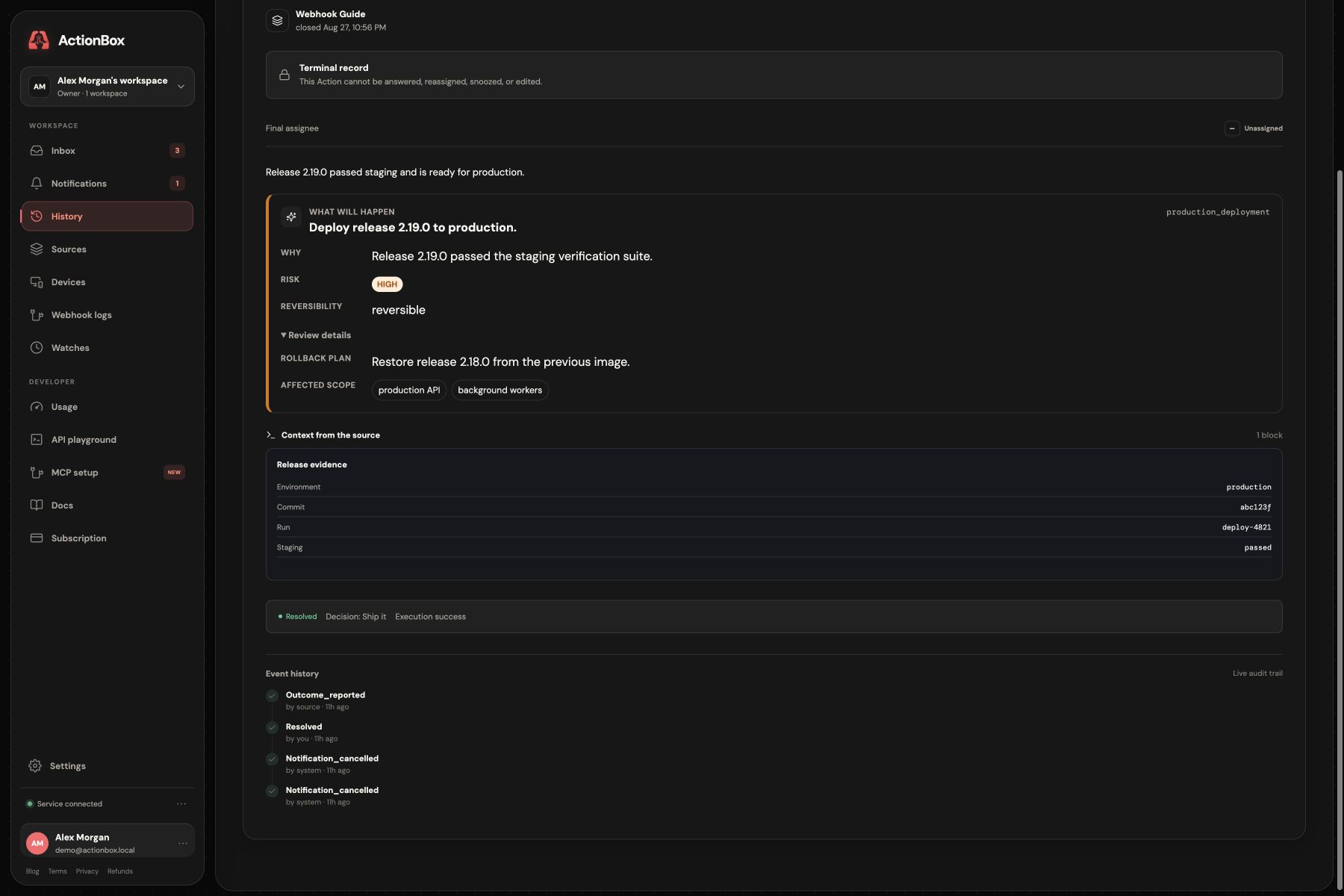
The screenshot uses synthetic deployment data. It illustrates the current Actionbox evidence model; it is not customer evidence and it does not replace the downstream application's own audit log.
Make retries boring
Retries are where audit trails often become misleading. Use the same idempotency key for the same logical tool call, keep a stable run ID, and never create a new approval simply because a worker restarted. If the arguments change, create a new proposal and make the difference visible to the reviewer.
Use a fail-closed policy for malformed responses, rejected decisions, expired Actions, and missing checkpoints. "No answer" is not an approval, and "the tool returned 200" is not the same as "the policy was followed."
Turn the log into an operating control
An audit trail becomes valuable when it supports a recurring review:
- Find approvals without a reported outcome.
- Find successful executions whose payload hash differs from the approved snapshot.
- Find repeated expiry or rejection for the same tool and owner.
- Find actions that exceeded their runtime or rollback budget.
- Sample high-risk approvals and verify the reviewer had the required role.
For the full pause/resume pattern, see durable execution explained. The maintained framework adapters are the OpenAI Agents SDK approval tutorial and LangGraph human-in-the-loop tutorial. For the larger control system, connect this audit model to AI agent governance and AI agent observability.
Create a free Source · Human approval API · Read the docs
Sources and further reading
- Actionbox documentation: typed interactions, fingerprints, callbacks, and outcomes.
- OpenAI Agents SDK human-in-the-loop: approval interruptions and resumable state.
- LangGraph interrupts: checkpointed human-in-the-loop execution.