
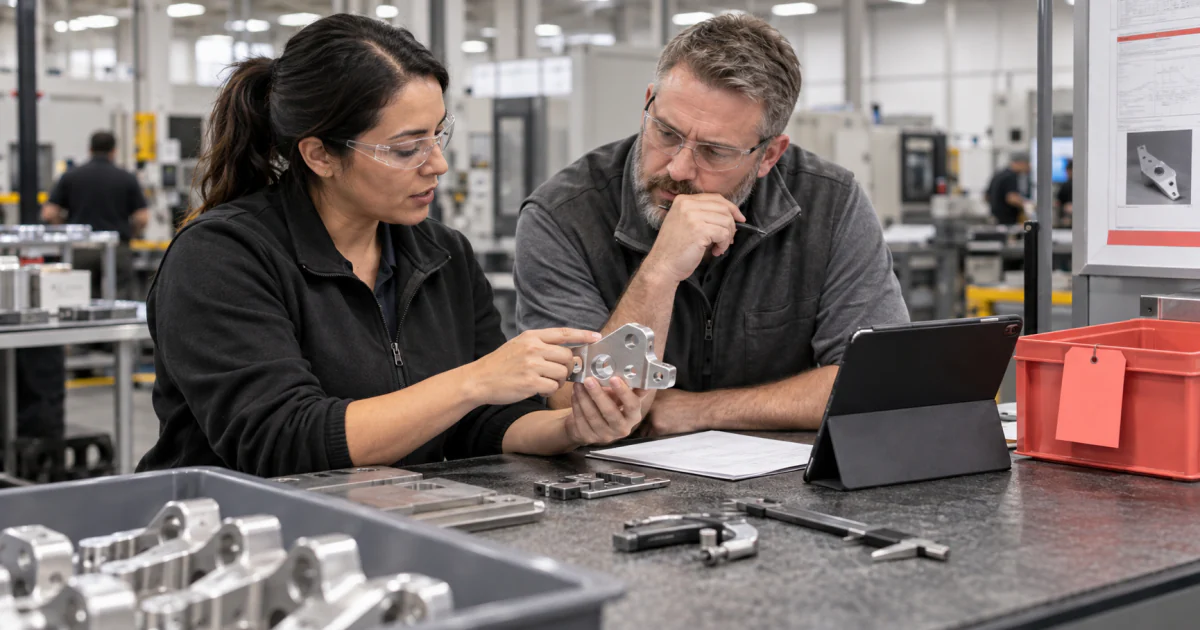
A material review board decides what happens to material that does not meet a requirement. The useful software pattern is straightforward: record the nonconformance, keep the affected material on hold, present the evidence to an authorized reviewer, apply one explicit disposition, and preserve what happened.
The hard part is the handoff. Inspection software can detect a measurement outside tolerance. It cannot decide whether the part is safe to use, economical to rework, suitable for reclassification, or better returned to the supplier. That judgment depends on engineering, quality, cost, and customer requirements.
This guide shows how to build that decision boundary into a custom manufacturing system. ActionBox handles the human request and response. Your QMS, MES, ERP, or internal application still owns the nonconformance record, inventory status, and disposition transaction.
What is a material review board?
A material review board, often shortened to MRB, is the group or authorized role that reviews nonconforming material and assigns a disposition. The name may describe a standing cross-functional board, a quality engineer with delegated authority, or a workflow that routes each case to the required owner.
An NCR records the problem. The MRB process determines what to do about the affected material. Corrective and preventive action, or CAPA, addresses a broader cause when the evidence warrants it. These records may be linked, but they answer different questions.
Infor's current nonconformance documentation describes a flow that submits the NCR, assigns an owner or MRB, records a disposition, and closes the report. Its disposition vocabulary includes use as is, no fault found, scrap, return to vendor, rework, and reclassify. Your own controlled vocabulary may differ, so treat the options below as an implementation example rather than a universal standard.
| Record | Question it answers | Typical owner |
|---|---|---|
| Nonconformance report | What requirement was missed, where, and by how much? | Quality or inspection |
| Material hold | Which lot, serial number, or quantity must remain unavailable? | Quality and inventory control |
| MRB disposition | What approved action may happen to the material? | Authorized quality, engineering, or operations reviewer |
| Execution record | Was the disposition applied to the correct material? | MES, ERP, WMS, or QMS |
| CAPA | Does the cause require a broader corrective action? | Quality management |
A practical NCR to disposition workflow
The safest design separates the decision from the side effect. In plain language, the process is:
Keep the material in its hold state while the Action is open. A timeout, network error, or unread notification is not permission to release it. The downstream system should move the material only after it has read or verified a valid response for the current NCR version.
This gives the workflow a clean state model:
- The inspection result creates or updates the NCR.
- The inventory or quality system places the exact lot and quantity on hold.
- The integration creates one Action for the current review snapshot.
- The reviewer sees the defect, proposed change, risk, reversibility, and allowed dispositions.
- A signed callback or an authenticated read returns the decision.
- The integration checks the NCR is still current, applies the disposition idempotently, and reports the execution outcome.
What the reviewer needs to see
Do not reduce an MRB request to “Approve NCR-1048?” The reviewer needs enough information to understand the boundary of the decision without opening five other systems.
Include the part and revision, lot or serial range, quantity on hold, requirement, observed result, inspection method, related work order, supplier when relevant, and the exact disposition choices. Add links to controlled drawings or reports rather than copying sensitive files into the request.
The decision brief should also explain why a person is needed, what will change after the response, the affected scope, and what can be reversed. If “use as is” requires a separate deviation or engineering sign-off in your process, enforce that rule before offering the option.
Try the MRB workflow with a sample
Start with a fictional NCR and a lot that exists only in a test system. Agree on who may choose each disposition, what evidence they need, and what must remain on hold. Create a Source in ActionBox for the NCR workflow, then ask your integration team to send the sample request below. Answer it on mobile and confirm that the test lot follows the selected path.
What the mobile review looks like
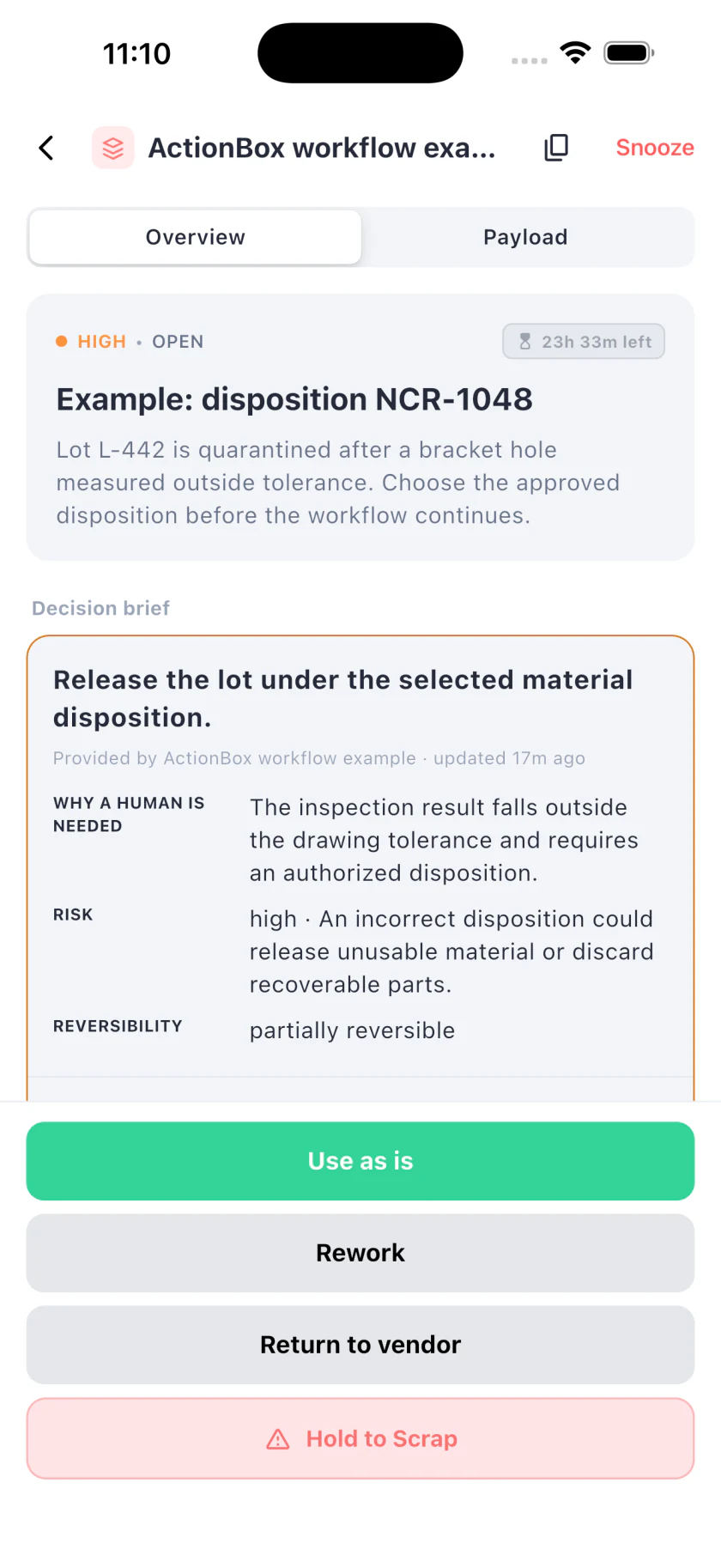
The mobile screen keeps the response controls visible while the reviewer reads the decision brief. Reviewers can also use the web inbox. Both surfaces read the same Action; the manufacturing system remains responsible for applying the chosen disposition.
API example for the integration team
The request uses a single-choice response because the reviewer must choose one controlled disposition. The example data is fictional.
curl -X POST https://api.actionbox.cloud/v1/actions \
  -H "Authorization: Bearer $ACTIONBOX_SOURCE_KEY" \
  -H "Content-Type: application/json" \
  -H "Idempotency-Key: mrb:ncr-1048:revision-3" \
  -d '{
    "title": "Disposition NCR-1048: bracket hole out of tolerance",
    "description": "Lot L-442 is quarantined. Choose the approved disposition before the manufacturing workflow continues.",
    "priority": "high",
    "interaction": {
      "type": "single_choice",
      "label": "Choose the material disposition",
      "options": [
        {"id": "use_as_is", "label": "Use as is", "style": "primary"},
        {"id": "rework", "label": "Rework", "style": "default"},
        {"id": "return_vendor", "label": "Return to vendor", "style": "default"},
        {"id": "scrap", "label": "Scrap", "style": "destructive"}
      ]
    },
    "decision_class": "manufacturing_nonconformance",
    "decision_context": {
      "schema_version": 1,
      "reason": "The inspection result falls outside the drawing tolerance and requires an authorized disposition.",
      "current_state": "Lot L-442 is held in quarantine with 24 affected brackets.",
      "proposed_change": "Release the lot under the selected material disposition.",
      "expected_effect": "The manufacturing workflow will apply the disposition and update the lot record.",
      "risk_level": "high",
      "risk_summary": "An incorrect disposition could release unusable material or discard recoverable parts.",
      "reversibility": "partially_reversible",
      "rollback_plan": "Keep the lot quarantined until the downstream system confirms the disposition was applied.",
      "affected_scope": ["Lot L-442", "24 brackets", "Work order WO-7712"]
    },
    "context": [{
      "type": "key_value",
      "title": "Inspection result",
      "items": {
        "Part": "BRK-220",
        "Lot": "L-442",
        "Quantity": 24,
        "Measured": "10.18 mm",
        "Specification": "10.00 +/- 0.10 mm"
      }
    }],
    "callback_url": "https://quality.example.com/actionbox/callback",
    "metadata": {"ncr_id": "NCR-1048", "revision": 3}
  }'
Use a future expiry that matches your operating process. Store the returned Action ID with the NCR. If the create request times out, retry the same payload with the same idempotency key rather than creating a second review.
The decision context guide explains how the review snapshot and fingerprint protect the connection between what the person saw and the response you receive.
Apply the response without releasing the wrong material
Treat the response as authorization for one specific review snapshot. Before applying it, check:
- The Action is resolved by an allowed human reviewer.
- The Action version and fingerprint match the saved request.
- The NCR revision is still current.
- The same lot, serial range, and held quantity remain in scope.
- The selected disposition is still valid for that part and defect class.
- The disposition transaction has not already been applied.
Map each option to a named command in the system that owns the NCR. Avoid a generic “approved” branch that makes the callback guess what approval meant.
| Action response | Downstream command | Keep on hold until |
|---|---|---|
use_as_is | Record the authorized deviation and release the defined quantity | Release transaction succeeds |
rework | Create or link the approved rework instruction | Rework route is accepted |
return_vendor | Create the supplier return disposition | Return authorization is recorded |
scrap | Post the controlled scrap transaction | Scrap posting succeeds |
If the downstream command fails, leave the decision intact and report a failed execution outcome. The reviewer decided what may happen; a failed ERP call does not turn that decision into a rejection. Retry the side effect with its own idempotency control and confirm the material state before retrying.
When the NCR changes during review
A new measurement, drawing revision, affected quantity, or customer requirement can make an open decision stale. Update the Action with the material change or cancel it and issue a new review according to your integration design. ActionBox changes the Action version and fingerprint when decision-relevant context changes, so a response tied to an older snapshot fails instead of silently authorizing the new one.
Do not edit the NCR in place and leave an old approval request open. The reviewer should be able to tell exactly which evidence supported the disposition.
What to test before using this in production
Use synthetic lots and a non-production downstream adapter for the first test. Exercise each disposition, then test the uncomfortable paths:
- Create times out after the server accepted the request.
- The reviewer responds after the NCR quantity changes.
- Two callback deliveries arrive for one decision.
- The ERP accepts the disposition but the callback handler times out.
- The Action expires with material still quarantined.
- An option is no longer allowed for the current defect or part revision.
The expected result is conservative: material remains held until the authoritative system confirms the exact disposition transaction. For callback verification and retries, follow the webhook human approval guide.
Useful measures for the first 30 days
You do not need customer case studies to learn from the workflow. Start with operational evidence you can measure accurately:
- Median time from NCR submission to first reviewer response
- Age of open material holds by priority
- Disposition mix by defect class or supplier
- Percentage of decisions that became stale before execution
- Downstream execution failures after a valid disposition
- NCRs reopened because the applied disposition did not match the reviewed scope
These figures describe your process. Publish them only after you have a stable definition, enough observations, and permission to share the result.
Where ActionBox fits
Use the QMS, MES, ERP, or WMS workflow you already trust when it provides the right review experience and integration contract. Add ActionBox when a custom service, script, RPA bot, or cross-system workflow reaches the human decision and needs a typed response through a shared web or mobile review surface.
ActionBox is the decision handoff. It does not inspect the part, define engineering authority, replace your quality records, or decide whether nonconforming material is safe.
If the disposition changes a counted balance, use the separate inventory adjustment approval workflow to verify the stock snapshot before posting the transaction.
References
- Infor LN nonconformance report process
- Infor LN material disposition definitions
- Infor LN Quality nonconformance guide
Create a Source for the system that owns the NCR, send one synthetic disposition request, and confirm that no response path can release material before the downstream transaction succeeds.
Need help turning your NCR or MRB process into a first test? Email info@actionbox.cloud and tell us which system currently holds the nonconformance record.